
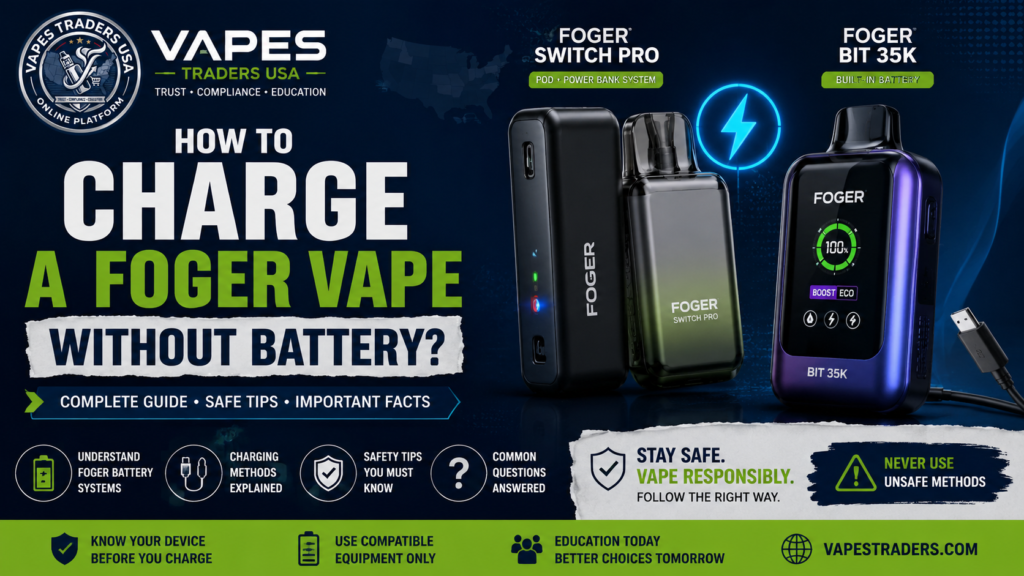
Have you ever picked up your Foger vape, discovered that its battery or charging unit was missing, and wondered whether there was another way to charge it? This is a common question among people researching Foger devices.The question “How to charge a Foger vape without a battery” can be confusing because different Foger models use different battery designs.
The short answer is that you cannot charge an electronic vape without a functioning battery. However, certain Foger models have a separate power bank and a pod with its own small internal battery. This means some models can operate temporarily without the power bank, but that does not mean they can recharge without it.
In this guide, we Vapes Traders explain how the Foger Switch Pro and Foger Bit 35K work, what happens when the charging unit is missing, and which battery practices to avoid.
Can You Charge a Foger Vape Without a Battery?
No. A Foger vape needs a functioning battery to operate, and a rechargeable battery needs an appropriate charging system to receive power.However, the meaning of “without a battery” depends on the device.
For example:
- Foger Switch Pro: Uses a separate rechargeable power bank and a pod that also contains a small built-in battery.
- Foger Bit 35K: Uses a rechargeable battery built into the device itself.
If you have lost the Switch Pro power bank, the pod may still operate briefly using its own internal battery. However, it cannot recharge itself independently.If your Foger device has a damaged or missing internal battery, do not attempt to replace it with loose wires, another battery, or an improvised charging connection.
1. Understand How the Foger Switch Pro Battery Works
The Foger Switch Pro has a two-part design.It consists of:
The rechargeable power bank: This is the main battery unit that supplies power and recharges the pod.
The disposable pod: This contains the prefilled e-liquid system and a small internal battery.
According to Foger’s published product information, the Switch Pro pod has a 200mAh internal battery, while its reusable power bank has an 850mAh battery.Together, these components allow the device to operate differently from a conventional single-piece disposable vape.The important point is that the pod’s small battery can provide temporary standalone operation, but the power bank is needed to recharge it.
2. Can You Use a Foger Switch Pro Without Its Power Bank?
Yes, the Switch Pro pod can operate temporarily without the separate power bank because it contains its own small battery.
However, there are limitations:
- Its standalone battery capacity is limited.
- Performance may be lighter or cooler.
- Its operating time without the power bank is limited.
- It cannot recharge itself independently.
- Reconnecting it to the compatible power bank allows the pod to recharge.
This is not the same as charging the device without a battery.If the pod’s own internal battery is completely depleted, removing the power bank will not provide another way to recharge it.
3. What Happens If You Lose the Foger Charging Unit?
If you have a Foger Switch Pro and lose its power bank, the pod may still work temporarily if its internal battery has charge remaining.However, you will not be able to recharge the pod through its normal system until you have a compatible replacement power bank.Do not try to connect the pod’s contact points directly to a USB cable or another power source.Those contacts are part of the device’s designed electrical connection. Improvised connections can cause short circuits, overheating, battery damage, or fire.The safer approach is to contact the manufacturer or an authorized seller about a compatible replacement unit.
4. How Does the Foger Bit 35K Battery Work?
The Foger Bit 35K is different from the Switch Pro.It has a rechargeable battery built into the device rather than a separate removable power bank.The device uses a USB-C charging connection, and the battery is not intended to be removed or replaced by the user.
This means:
- You cannot operate it without its internal battery.
- You cannot recharge it after removing the battery.
- You should not open the device to access its internal electrical connections.
- A damaged or malfunctioning battery requires professional manufacturer guidance.
If the battery is swollen, leaking, unusually hot, or physically damaged, stop using the device.
5. Why You Should Never Try to Charge a Foger Vape With Loose Wires
Online videos sometimes show people attempting to charge disposable vapes using exposed wires, stripped USB cables, or external batteries.These methods are dangerous and should not be followed.Lithium-ion batteries require appropriate charging controls. Connecting an unsuitable power source directly to battery terminals can create excessive current, short circuits, overheating, burns, or fires.
Potential dangers include:
Short circuits: Incorrect electrical connections can create an uncontrolled current path.
Battery overheating: An unsuitable charging connection can cause excessive heat.
Fire hazards: Damaged lithium batteries can catch fire or release hazardous materials.
Device damage: Improvised charging can permanently damage electronic components.
The FDA warns consumers about vape battery fires and explosions and recommends following manufacturer instructions for battery handling and charging.
Never puncture, disassemble, modify, or directly wire a Foger battery.
What Is the Difference Between Foger Switch Pro and Foger Bit 35K?
Here is a simple comparison to help readers understand the two designs.
| Feature | Foger Switch Pro | Foger Bit 35K |
|---|---|---|
| Battery design | Separate power bank and pod battery | Built-in battery |
| Power bank | Yes | No separate power bank |
| Pod battery | Yes | Not a separate pod system |
| Charging connection | USB-C on power bank | USB-C on device |
| Can operate without power bank? | Temporarily, if pod has charge | Not applicable |
| Can recharge without battery? | No | No |
| User battery replacement | Use a compatible replacement power bank | Not designed for user replacement |
Specifications and product versions can vary. Always check the instructions supplied with your particular model.
What Should You Do If Your Foger Vape Will Not Charge?
If your device is not charging, do not immediately assume that its battery is broken.Consider these safe checks:
Check the Charging Cable
Look for visible damage, loose connectors, or a bent USB-C plug. Stop using damaged cables.
Check the Power Source
Use the charging arrangement specified in the instructions for your exact model. Avoid experimenting with improvised power sources.
Inspect the Charging Port
Look for visible dirt or damage. Do not insert metal objects or liquids into the port.
Check the Power Bank Connection
For the Switch Pro, make sure the compatible pod and power bank are properly connected. Follow the manufacturer’s instructions.
Stop If the Device Becomes Unusually Hot
Unplug the device if it becomes unusually hot, swells, leaks, or produces an unusual smell. Do not continue charging it.If these checks do not resolve the issue, contact the manufacturer or an authorized seller.
Frequently Asked Questions
1. Can I charge a Foger vape without its battery?
No. A Foger vape needs a functioning battery to operate and recharge. The Switch Pro pod can operate temporarily using its own internal battery without the separate power bank, but it cannot recharge itself independently.
2. Can I use a Foger Switch Pro pod without the power bank?
Yes. The pod contains a small internal battery that allows temporary standalone operation. Its performance and operating time are limited, and the pod needs the power bank for recharging.
3. Can I charge a Foger pod directly with a USB cable?
Do not attempt to connect a USB cable directly to the pod’s electrical contacts. Use the compatible power bank and the manufacturer’s intended charging connection.
4. Can I use another battery to charge my Foger vape?
Do not connect an unrelated battery or external power source directly to a Foger device. Use only the compatible charging equipment specified by the manufacturer.
5. Does the Foger Bit 35K have a removable battery?
The Bit 35K has a built-in rechargeable battery and is not designed for users to remove or replace it.
6. Can I charge my Foger vape with a phone charger?
Charging requirements depend on the specific model. Check the manufacturer’s instructions and use a compatible power source. Do not assume every fast-charging adapter is suitable.
7. What should I do if my Foger battery is damaged?
Stop using and charging the device. Do not puncture, open, repair, or modify the battery. Contact the manufacturer for guidance on safe handling and disposal.
8. Can I replace a lost Foger Switch Pro power bank?
Ask the manufacturer or an authorized seller whether a compatible replacement power bank is available for your exact model. Do not substitute an unrelated battery unit.
Final Thoughts: Understand Your Foger Battery Before Charging
So, how do you charge a Foger vape without a battery?
The important answer is that you cannot recharge a device without a functioning battery and its proper charging system.The Foger Switch Pro has a separate power bank and a small battery inside its pod, allowing temporary operation without the power bank. However, the pod still needs the compatible power bank to recharge.The Foger Bit 35K has a built-in rechargeable battery and should not be opened or modified.Understanding these differences can help prevent confusion and avoid unsafe charging experiments.
At Vapes Traders, our goal is to make vape device information easier to understand through educational guides covering product components, battery systems, charging information, and safety considerations.
Disclaimer: This article is for general educational purposes only. It does not recommend vaping or modifying electronic devices. Always follow the manufacturer’s instructions. Nicotine is addictive, and vaping products are not risk-free. Keep vaping devices and nicotine-containing liquids away from children and pets.